
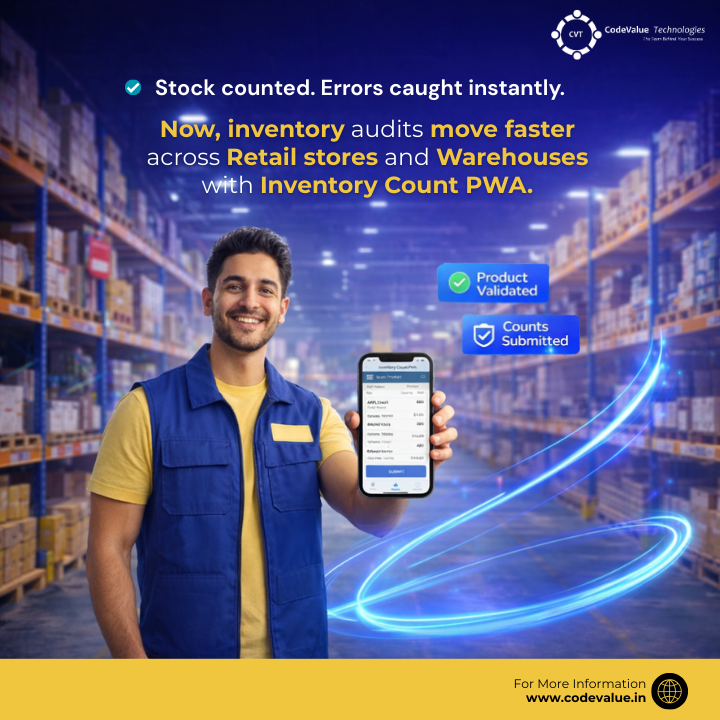
In today’s fast-paced retail and warehouse environments, inventory accuracy is everything. A single mismatch between physical stock and system records can trigger stockouts, overstocking, revenue leakage, and operational delays.
Yet many organizations still rely on paper logs, Excel sheets, and disconnected systems for stock counting processes that are slow, error-prone, and difficult to audit.
To address this challenge, CodeValue Technologies developed Inventory Count PWA, a modern Progressive Web App (PWA) integrated with Microsoft Dynamics 365 Finance & Operations (D365 F&O) and powered by secure .NET middleware.
This solution digitizes, automates, and streamlines the entire inventory counting lifecycle: from setup to audit and adjustment.
The Challenges of Traditional Inventory Counting
Picture a typical store or warehouse audit day:
- Staff members manually count stock using printed sheets.
- Barcodes are cross-verified against outdated lists.
- Data is re-entered into Excel.
- Files are uploaded to ERP systems.
- Supervisors reconcile discrepancies manually.
This fragmented process creates several risks:
- ❌ Human errors in counting or data entry
- ❌ Barcode mismatches and invalid items
- ❌ Delays in ERP updates
- ❌ No real-time validation
- ❌ Limited traceability and accountability
Industry studies show that poor inventory accuracy can cost retailers 5–10% in lost annual sales. For multi-location retail chains or fast-moving warehouse operations, the impact is even greater.

Introducing Inventory Count PWA: A Smarter Way to Audit Stock
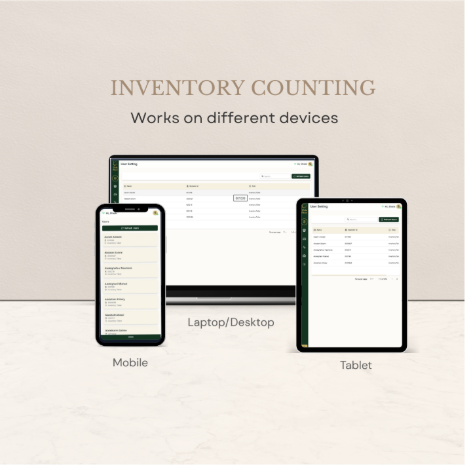
Inventory Count PWA is a browser-based progressive web app designed to work on:
- Mobile devices
- Tablets
- Laptops
- Desktops
No specialized hardware required.
It connects directly with Microsoft Dynamics 365 Finance & Operations for real-time data synchronization, ensuring every scan is validated instantly.

How Inventory Count PWA Works
1. Admin Setup
Global administrators can:
- Sync users, stores, and warehouses from D365.
- Create counting activities (e.g., Monthly Store Count, Year-End Audit).
- Manage device assignments for enhanced security
This ensures structured, secure execution of stock counts.
2. On-the-Floor Counting
Inventory takers simply:
- Select a device and assigned activity.
- Scan product barcodes or enter manually.
- Instantly retrieve product details from D365 (size, color, site, dimensions).
- Enter counted quantities (positive quantities only).
The system validates:
- Product availability
- Correct store/warehouse mapping
- Master data accuracy
Errors such as “Product not available in this store” are caught immediately—eliminating reconciliation headaches later.
3. Submission & Audit Workflow
Once counting is complete:
- Data consolidates automatically.
- Counts are pushed into a custom inventory audit form in D365.
- Supervisors review discrepancies and mark:
- ✔ OK
- ✖ NOT OK
- 🔄 RECOUNT
Approved variances automatically generate lines in the inventory adjustment journal for posting.
No manual journal entries. No duplicate work.
4. Insights & Performance Tracking
Admins gain access to:
- Work logs by user and device
- Activity history
- Variance tracking
- Excel export functionality
- Compliance reports
This level of traceability improves audit readiness and operational transparency.
Key Features of Inventory Count PWA
- Real-Time Validation
Every scan check against D365 master data to prevent mismatches and invalid entries.
- Automated Workflow
Counts flow seamlessly into audits and inventory adjustments—eliminating manual uploads.
- Secure Authentication
Integrated D365 Worker authentication ensures role-based access and data security.
- Full Traceability
Detailed logs track who counted what, when, and on which device.
- Online-Only Mode
Ensures data integrity with live validation and synchronization.
- Scalable Architecture
Designed for multi-store retail chains and large warehouse networks.

Business Benefits
Implementing Inventory Count PWA can deliver measurable impact:
- Up to 70% reduction in audit time
- Improved stock accuracy
- Reduced stockouts and overstocking
- Data-driven replenishment decisions
- Improved team productivity
- Faster discrepancy resolution
For example, a Chennai-based retail chain managing high seasonal demand can significantly improve warehouse efficiency during festive sales by eliminating manual bottlenecks.

Implementation Approach
At CodeValue Technologies, we ensure seamless deployment through a structured methodology:
1. Discovery
We analyze your existing inventory processes and identify inefficiencies.
2. Prototype
A pilot rollout in select stores or warehouses validates the solution.
3. Integration
We connect the PWA with Microsoft Dynamics 365 Finance & Operations and configure workflows.
4. Training & Rollout
Teams are trained for smooth adoption across locations.
5. Optimization
We refine analytics, reporting, and governance controls post-deployment.

Why Choose CodeValue Technologies?
CodeValue Technologies specializes in Microsoft Dynamics solutions that modernize operations and improve business agility.
With deep expertise in:
- D365 Finance & Operations
- .NET integrations
- Retail & warehouse automation
- ERP workflow optimization
We help businesses move from reactive inventory management to proactive, intelligent stock control.

The Future of Inventory Audits is Digital
Inventory accuracy is no longer just a back-office function, it directly impacts customer satisfaction, profitability, and operational efficiency.
Inventory Count PWA transforms traditional stock audits into:
- Real-time validated processes
- Fully traceable workflows
- Automated ERP-integrated adjustments
- Insight-driven inventory management
If your organization is still relying on spreadsheets and manual reconciliations, it’s time to upgrade.

Ready to Transform Your Inventory Process?
Contact CodeValue Technologies today for a free consultation and see how Inventory Count PWA can streamline your retail and warehouse operations.